
How to keep track of gift ideas all year

Ari, founder of Tessori · Updated November 1, 2026
The easiest way to keep track of gift ideas is to save each one the moment you spot it, in an app you already open every day, and label it with the person it’s for. A few weeks before a birthday or the holidays, open everything you saved for that person and choose. Any notes app with tags or labels can do this. What matters is saving it right away and labeling it by person.
Why gift ideas get lost
In July, your mom mentions a pottery class she’d love to try. In September, a friend likes a lamp in an Instagram post. You take a photo of a book in a shop window. By December, the pottery class is forgotten, the post is somewhere in your Instagram saves, and the photo is one of hundreds in your camera roll.
The ideas were good. They just ended up in three places, with nothing saying who they were for.
A method that works in any app
- Keep every gift idea in one place. Pick an app you open every day, so saving takes seconds.
- Label each idea with the person. One label per person (Mom, Dad, Sam), plus one Gifts label for all of them.
- Save it when you see it. A link, a screenshot or one line of text is enough. Add why: “wants to try pottery, said so in June”.
- Before the occasion, open that person’s ideas. Everything you saved for them, in one list.
- Mark what you gave. Next year, you’ll know what you already gave.
Apple Notes, Google Keep or a gift list app?
- Apple Notes works. Put a #gifts tag and the person’s tag on each idea, then pick both under Tags in your folder list. Tags sit inside each note’s text, though, so a list of notes doesn’t show at a glance who each idea is for.
- Google Keep has labels and works the same way.
- Gift list and wish list apps do something different: you share your own wish list with family, or coordinate who buys what. If that’s what you need, use one of those.
How to do it in Tessori
Tessori is a notes app for iPhone and Android made for finding things again: combine tags, dates and filters into searches that show exactly what you want to explore right now. Every note shows its tags wherever it appears, so a list of gift ideas tells you at a glance who each one is for.
1. Make a Gifts tag and a tag for each person
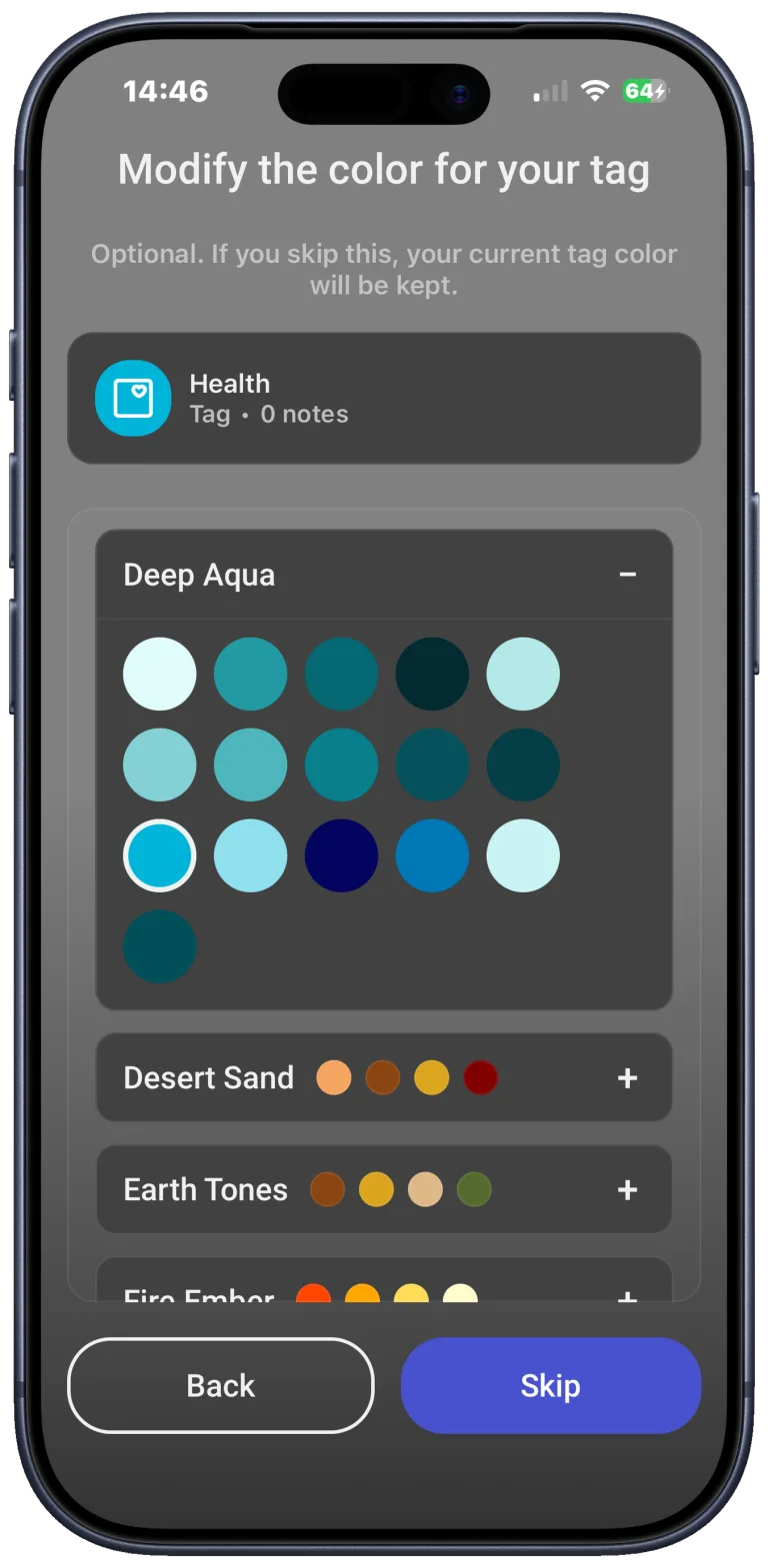
When you save your first idea, tap + in the tag panel to make a tag. Name it, pick a color, then an icon or one of your own images, so you can spot it in a list.
2. Save ideas from any app
See something on Instagram, TikTok, a shop’s website or in your photos? Share it to Tessori. Tessori opens with it: add it to a new note, tap Gifts and the person’s tag, and tap Create. Links from Instagram, TikTok, YouTube and X come with a preview.
Add a line about why you saved it: what they said, their size, where it’s sold.
3. See everything for one person
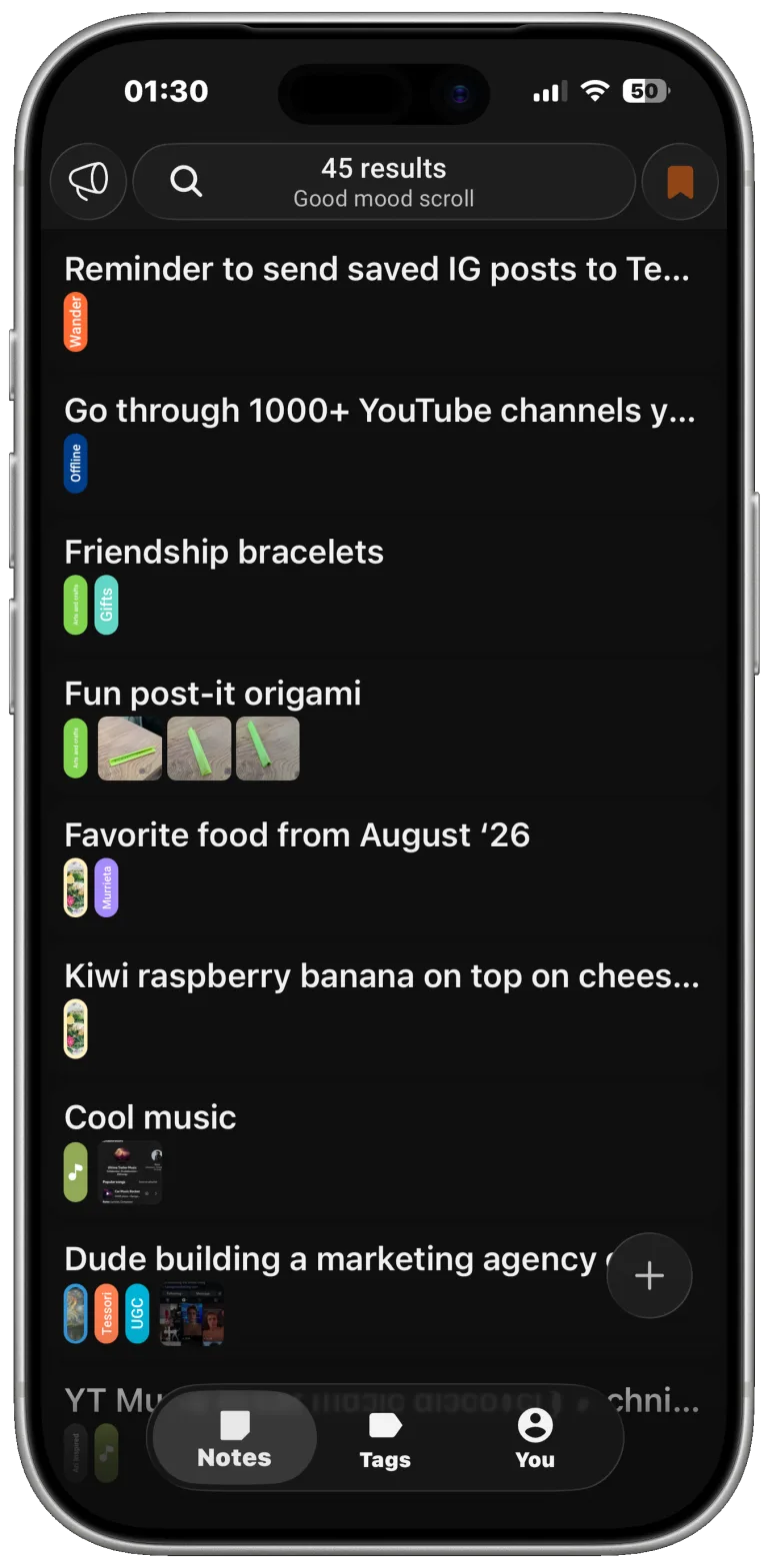
On the Notes tab, tap Customize list? at the top, then Edit Tags, and pick Gifts and Mom. When two or more tags are picked, tick Each note must include all selected tags to see only the ideas for her, then tap Search.
4. Save that search
In the search panel, tap Save search and name it “Gifts for Mom”. From then on, her ideas are one tap away under the bookmark at the top right of the Notes tab.
5. Let ideas come back to you
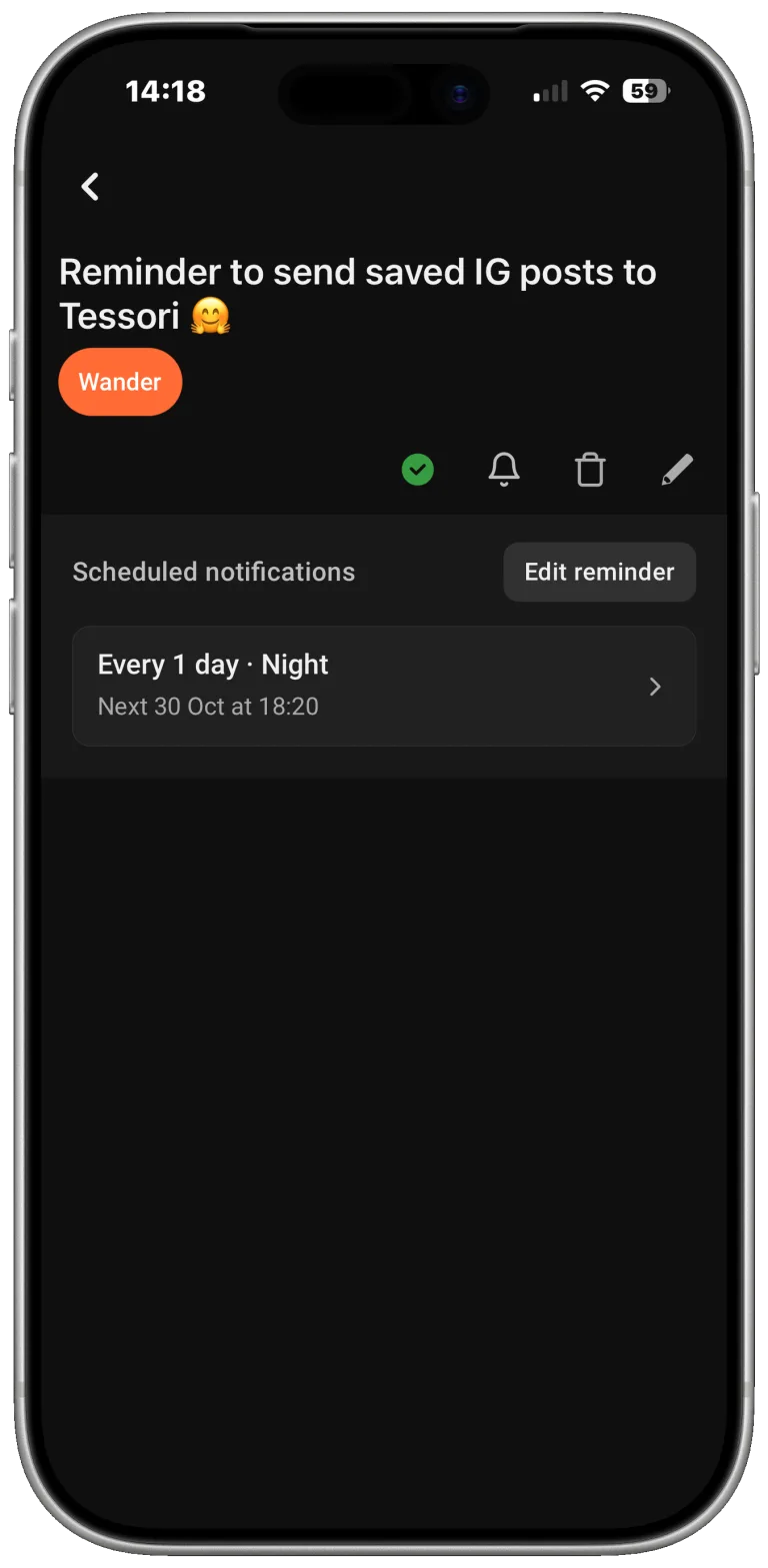
Open an idea you don’t want to forget, tap the bell, then New notification. Choose after how many days it comes back, and whether that’s in the morning, during the day or at night; the exact time is random. When you need inspiration, pick your Gifts tag in search and sort it by Shuffle.
6. Mark what you gave
Once you’ve given a gift, open the note and swap its Gifts tag for a Given tag. Next year, Given and Mom together show what you already gave her.
Questions
Can Tessori remind me before a birthday?
Not on a specific date. A reminder brings a note back after the number of days you choose, at a random time. Keep birthdays in your calendar, and open your saved search when one comes up.
Can I share a gift list with family?
No. Tessori is for your own notes. For a shared wish list, use a wish list app.
Is Tessori free?
Tessori Local is free on iPhone and Android and keeps your notes on your phone. Tessori Plus is an optional subscription that adds sync across your devices, Tessori Web, and encryption with a password only you hold.
Good things deserve to be found again.
Available now on iPhone and Android.

iPhone · Available now

Android · Available now